START
Convert your first image
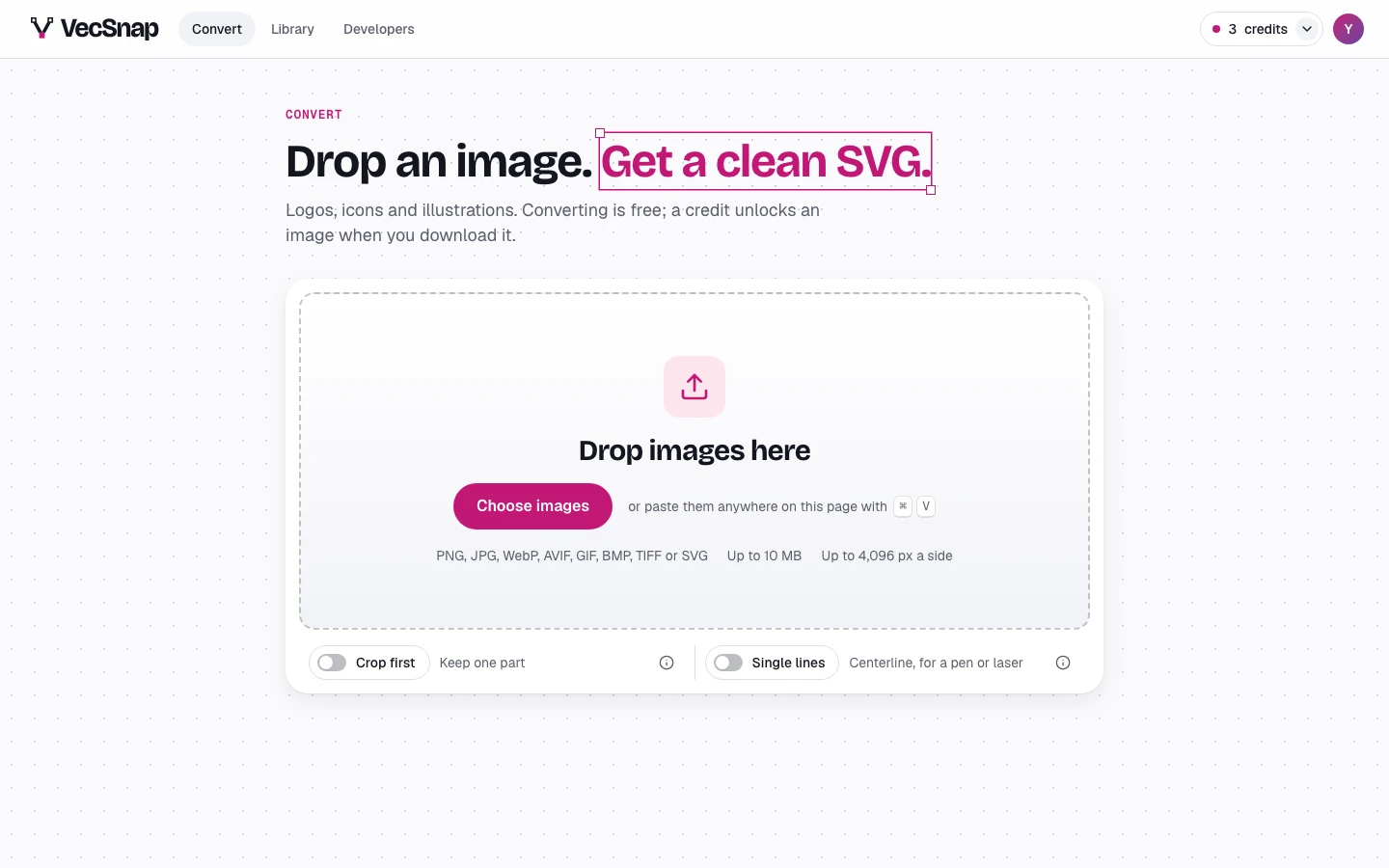
Drop, paste or choose an image on the converter. Converting is free; a credit is spent only when you download the file.
How do I convert an image?
- Open the converterSign in, or try it without an account. The converter is the app's first page.
- Give it your imageDrop the file on the card, choose it, or paste it with
⌘V(Ctrl+Von Windows). - Watch it arriveIts own page opens and the drawing fills in over your image, step by step.
Which images can I convert?
PNG, JPG, WebP, AVIF, GIF, BMP, TIFF or SVG, up to 10 MB and 4,096 px a side. An iPhone's HEIC photo is made a PNG in your browser first.
VecSnap is made for logos, icons, mascots and flat illustrations. A photograph converts too, but into thousands of small shapes, and the Download tab says so before you spend a credit.
Can I convert several at once?
Yes. Drop or choose several: they convert in turn, a list in the screen's corner following each one. One image opens its own page; several stay where you are, and each joins your library.
Do I need an account?
No: convert and look at every result without one, and sign up only to download (Try without an account).
What happens to my image?
It is never made public. The copy we convert from is deleted after 7 days; your image stays beside its result in your library until you delete it. The details are in Privacy.