YOUR IMAGES
Work on several images at once
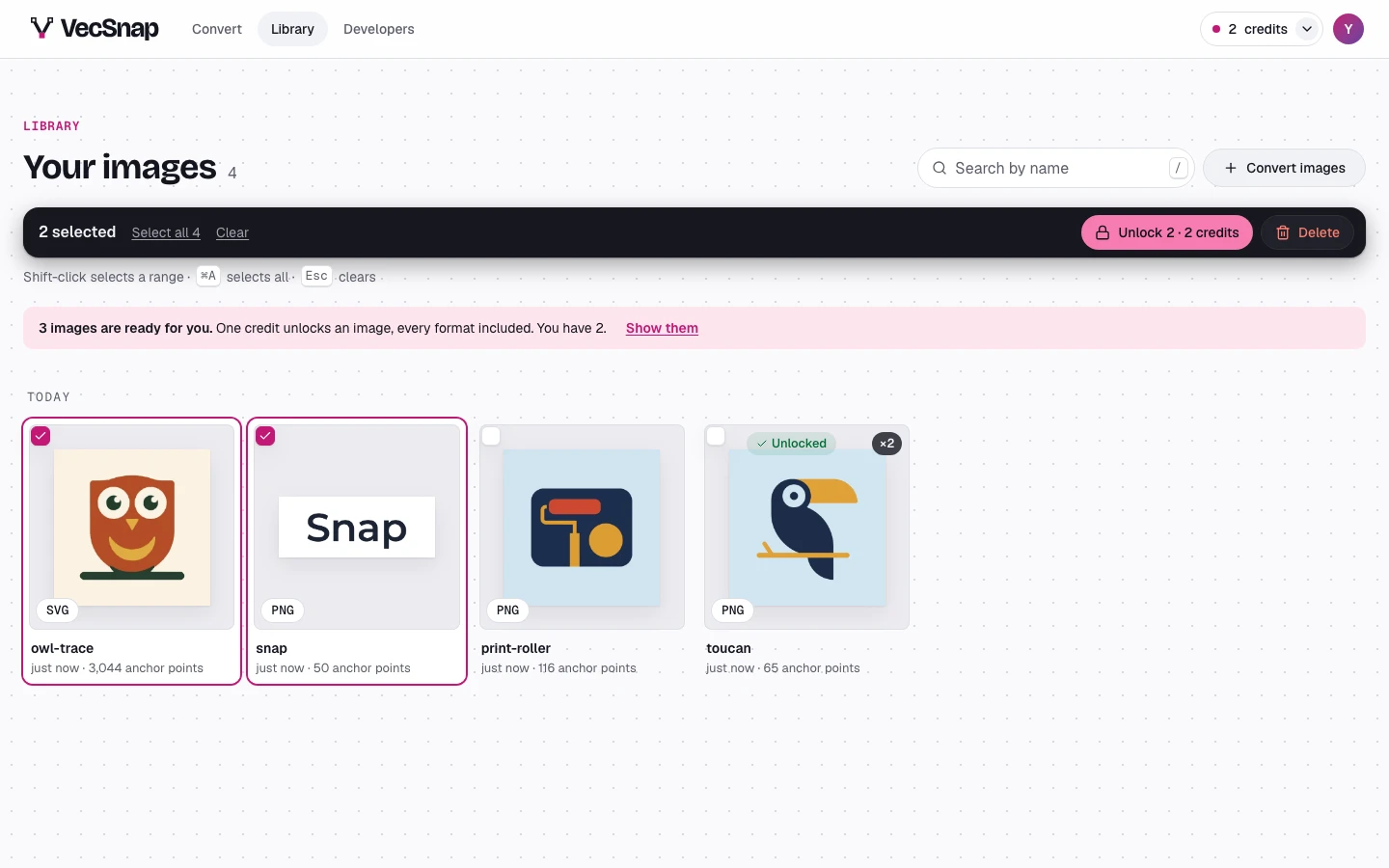
Select images in the library and a bar takes the toolbar's place, saying how many: download them in one ZIP, unlock them, or delete them.
Free · no credit neededHow do I select images?
- Press an image's checkboxIt shows at the image's corner when you point at it.
- Press more imagesOnce one is selected, a press selects another. Shift selects a range, and the bar offers to select all.
- Choose what to doThe bar says how many it applies to: download as a ZIP, unlock them, or delete them.
How many can I select?
Up to 500 at once. Unlocking a selection spends one credit an image, the images already unlocked free.